
Straightforward control for NC tube bending machines.
MyDural NC Controller brings the functions operators use every day — program management, automatic production, manual movement, machine settings and diagnostics — into one clear interface. It is designed for workshops that need dependable machine control without the added complexity of a full 3D CNC environment.
The job stays clear, without layers of unnecessary controls.
The interface follows the way the machine is actually used: prepare a bend program, check the setup, run the cycle and open the manual or diagnostic pages only when they are needed.
Program with familiar values
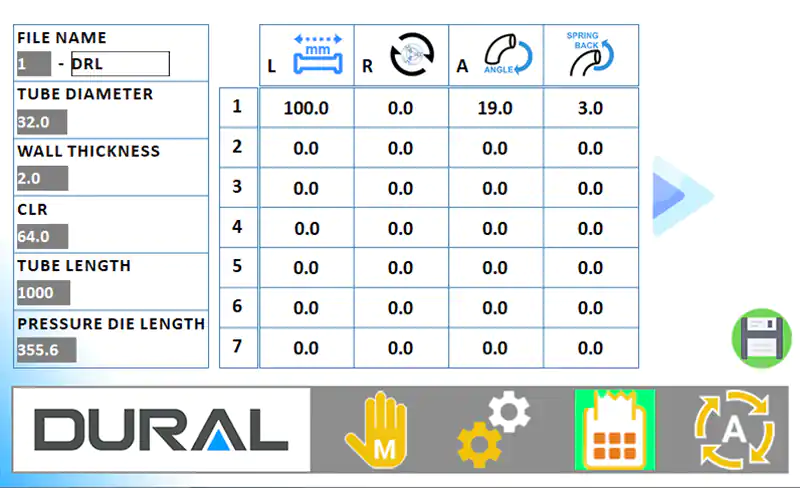
Enter straight length, rotation, bend angle and springback alongside the relevant tube and tooling data.
Run from one live screen
Monitor target and actual values, the active program step and production speed throughout the automatic cycle.
Set up with visual guidance
Machine-component graphics make individual movements easier to identify during setup and adjustment.
Every part and process value stays with the bend program.
The program table keeps the core LRA data in view, while the side panel holds the tube and tooling values required for setup. With memory for up to 1,000 programs, proven jobs can be stored, named and recalled without rebuilding the recipe.
- Named program library for repeat jobs
- Tube diameter and wall thickness
- Centerline radius and total tube length
- Pressure-die length
- L, R, A and springback data for each bend step
- Quick recall of proven settings for repeat production
Automatic production and manual setup are kept separate and easy to recognize.
Each mode is built around a specific task, so operators can work without searching through controls that are unrelated to the job at hand.
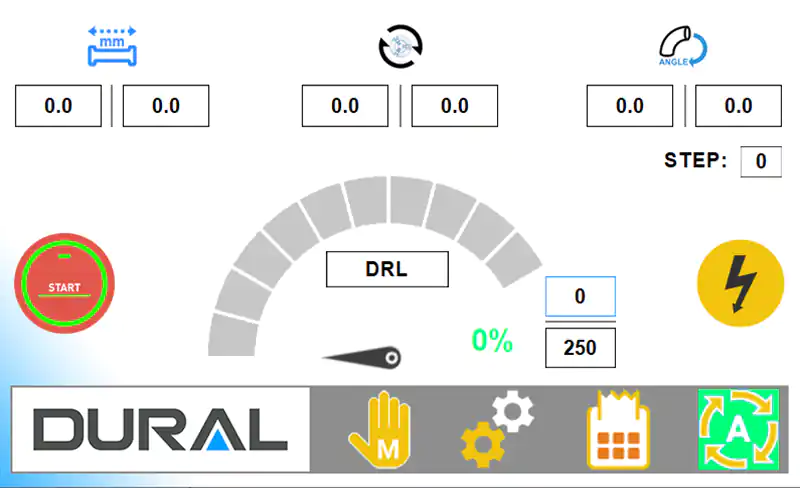
Follow the cycle at a glance.
Target and actual length, rotation and angle values remain visible alongside the active step, program name and speed percentage.
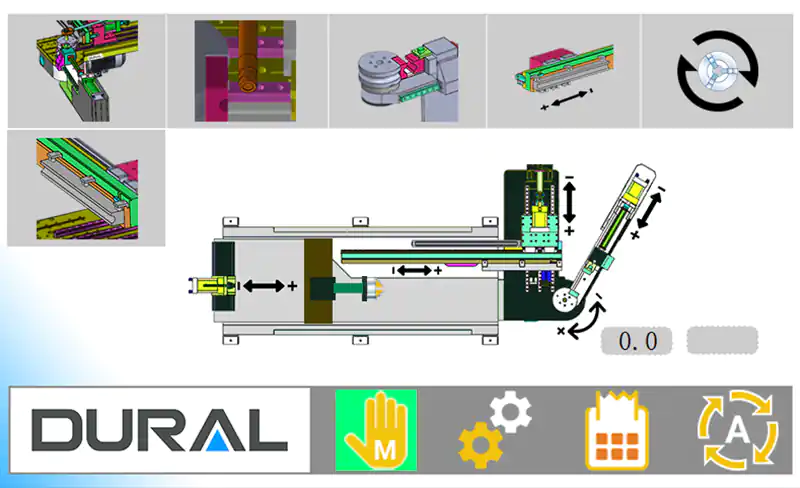
Move the machine by function.
The available feeding, bending, clamping and positioning movements are grouped around a visual representation of the configured machine.
A focused view for individual machine movements.
The manual bending page presents the bending head and its related mechanisms as a clear schematic. The controls are configured to reflect the machine’s hydraulic, pneumatic and positioning architecture.
- Dedicated pages for function-specific manual movements
- Position or angle feedback where available
- A graphical reference for the selected machine mechanism
- A controller layout adapted to the machine configuration

Supporting functions remain as clear as the production screen.
Machine settings and service information stay within easy reach without cluttering the automatic operating view.
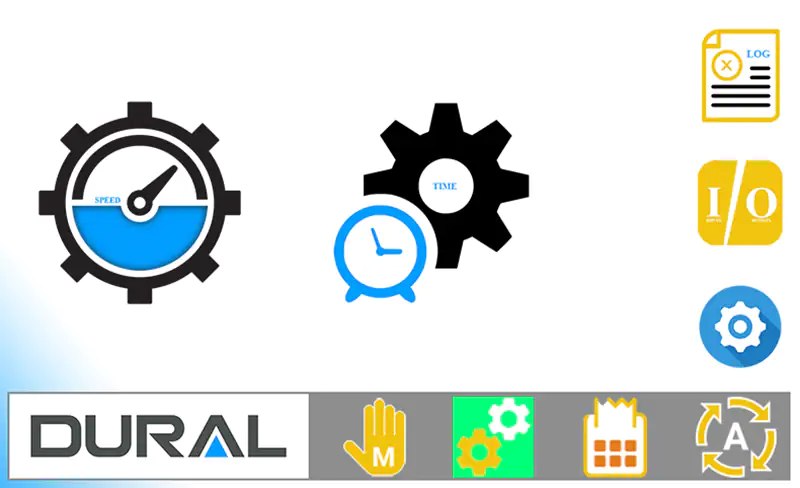
Speed, timing and I/O
Dedicated pages provide access to motion speeds, timing parameters, diagnostic inputs and outputs, and event records.
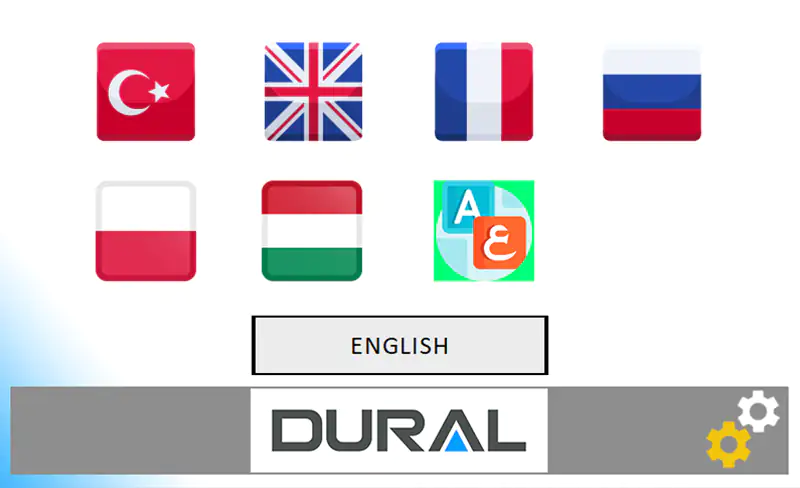
Multilingual operation
Operators can switch between the interface languages included in the delivered machine configuration.
Service information that helps
Event logs and I/O views help qualified service personnel identify whether a fault comes from the program, a missing condition or a machine signal.
A direct route from setup to repeat production.
Select or create a program
Choose from the stored programs or enter the tube, tooling and bend-row values for a new job.
Prepare the machine
Use the relevant manual views to set the tooling and machine positions.
Run automatically
Follow the live target, actual and active-step values throughout the cycle.
Recall proven settings
Load the saved program when the same part returns to production.
Common questions about the MyDural NC Controller.
What is the MyDural NC Controller designed for?
It is designed for NC and semi-automatic tube bending machines that require straightforward program management, automatic sequencing, manual setup controls and diagnostics without ETU’s full 3D CNC programming environment.
Which bend values can the operator program?
The interface supports L (length), R (rotation), A (bend angle) and springback values for each step, together with tube diameter, wall thickness, CLR, total tube length and pressure-die information.
Does the controller include automatic and manual modes?
Yes. Automatic mode shows live program values and cycle progress, while the manual pages provide machine-function controls for setup and adjustment.
How many bend programs can the controller store?
The controller can store up to 1,000 named bend programs. Operators can recall proven LRA, springback, tube and tooling values whenever a part returns to production.
Is the interface multilingual?
Yes. Operators can select from the interface languages included in the delivered machine configuration.
What is the difference between the NC Controller and MyDural ETU?
The NC Controller is intended for direct, recipe-based machine operation. MyDural ETU adds real-time 3D programming, CAD conversion, collision analysis, tooling libraries and AI-assisted diagnostics for advanced CNC applications.
Can the NC Controller be used in a retrofit?
Yes, subject to a technical review. Dural assesses the machine mechanics, motion hardware, PLC, safety circuit, sensors, valves and wiring before confirming the retrofit scope.
Four focused products, connected through one ecosystem.
Choose a controller that fits the machine and the operator.
Send us your tube bender model and control architecture. Dural will review the application and recommend the appropriate NC solution.