
Program, simulate and run every bend from one operator interface.
MyDural ETU brings CNC tube bender control, 3D programming, collision analysis, CAD data conversion and guided diagnostics into one interface. Operators can check each sequence before production while keeping machine settings, tooling and program data close at hand.
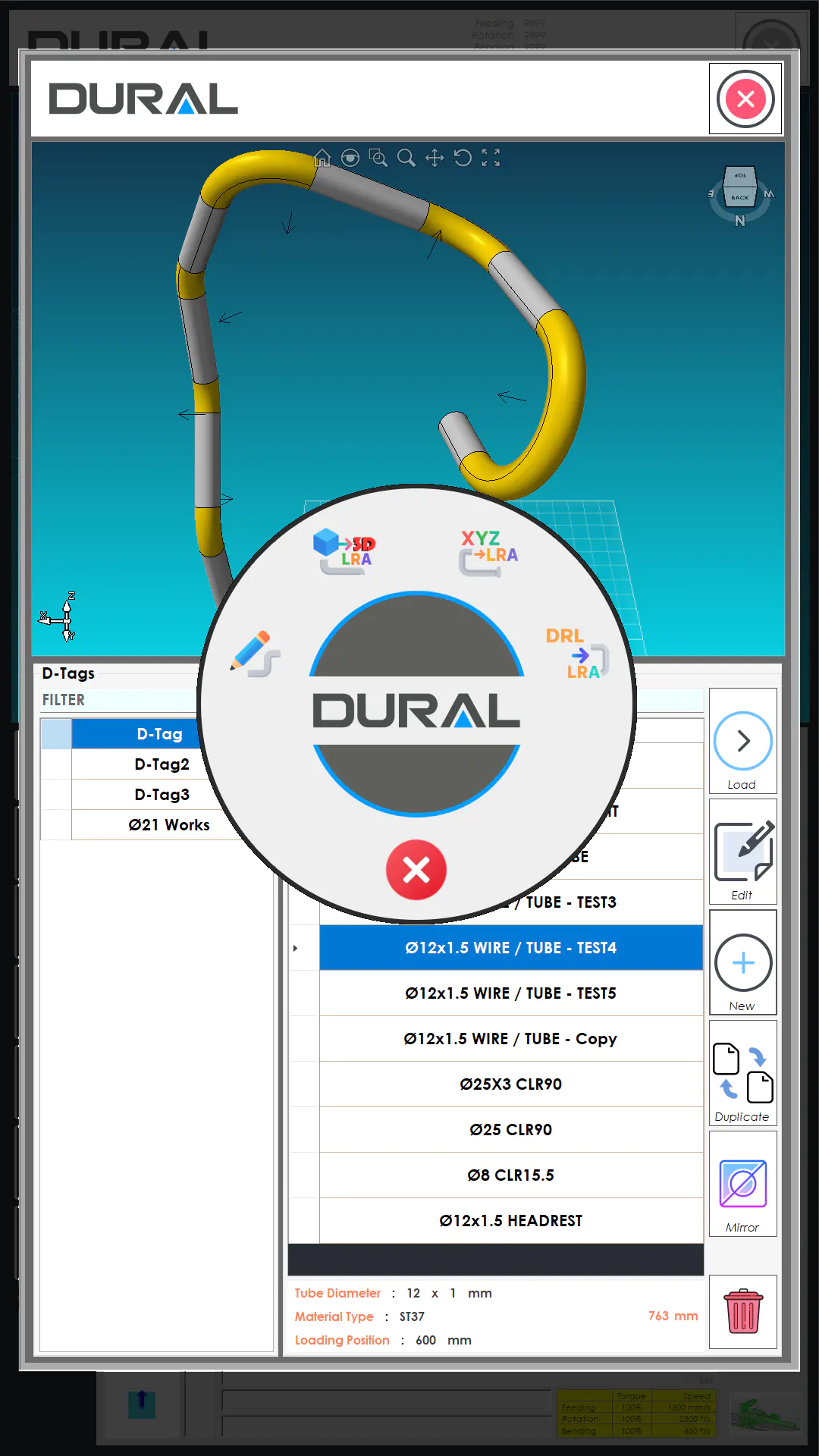
From geometry to a verified bending cycle, all within one environment.
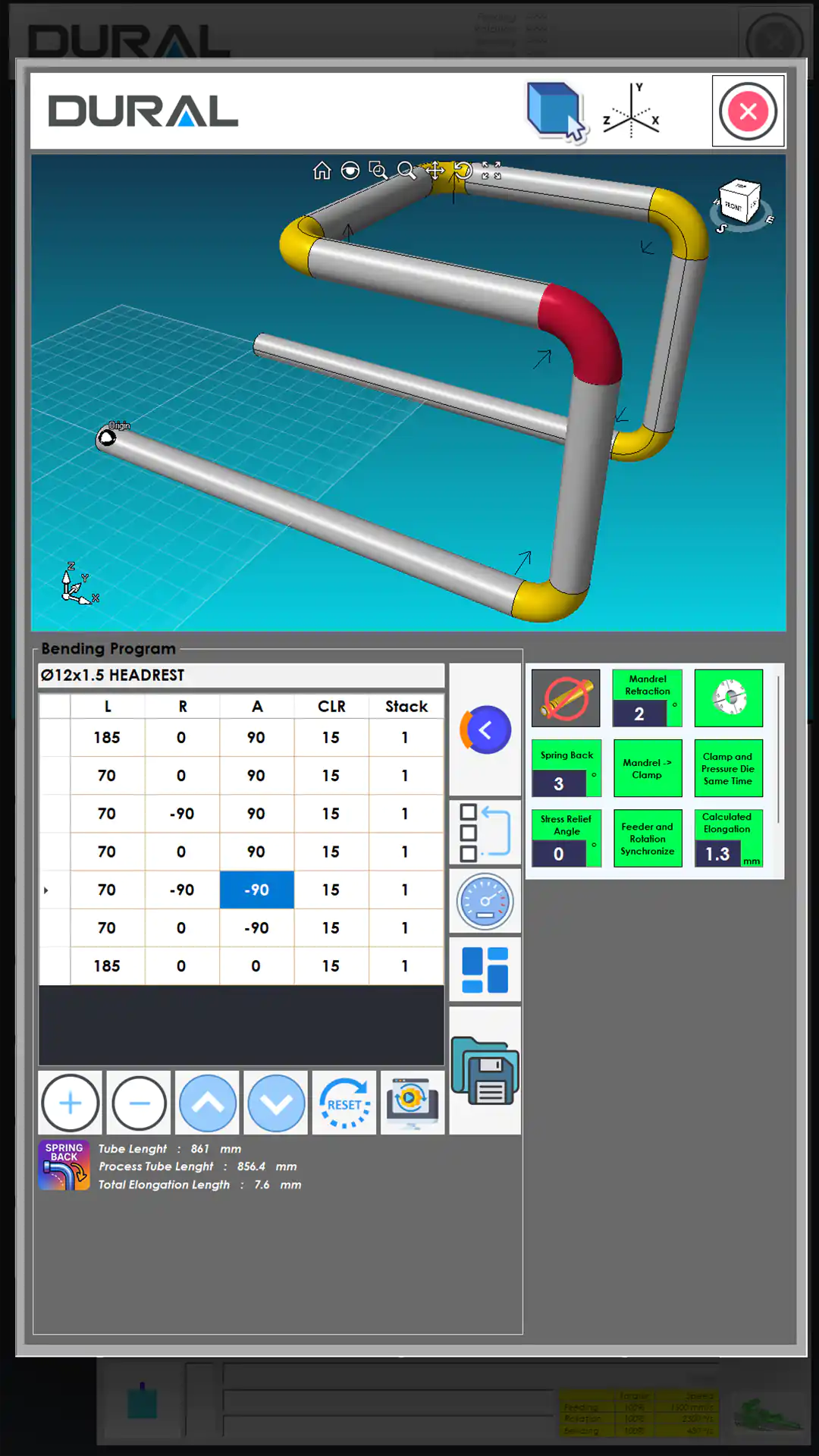
ETU provides a clear visual link between the program and the part. Any change to a bend row appears immediately in the 3D model, allowing the operator to review the sequence before the machine moves.
Import the geometry
Load STEP, XYZ or existing program data.
Build the LRA cycle
Set the length, rotation, angle, CLR and process parameters.
Simulate in 3D
Check how the part, tooling and machine interact.
Control the machine
Run the verified program using the axis controls.
Keep a record
Save programs, tooling data and maintenance records.
See collision risks before production and get practical guidance when a fault occurs.
ETU uses the machine model to check setup and programming decisions. Operators can review how the tube, tooling and machine will interact before running the first part.
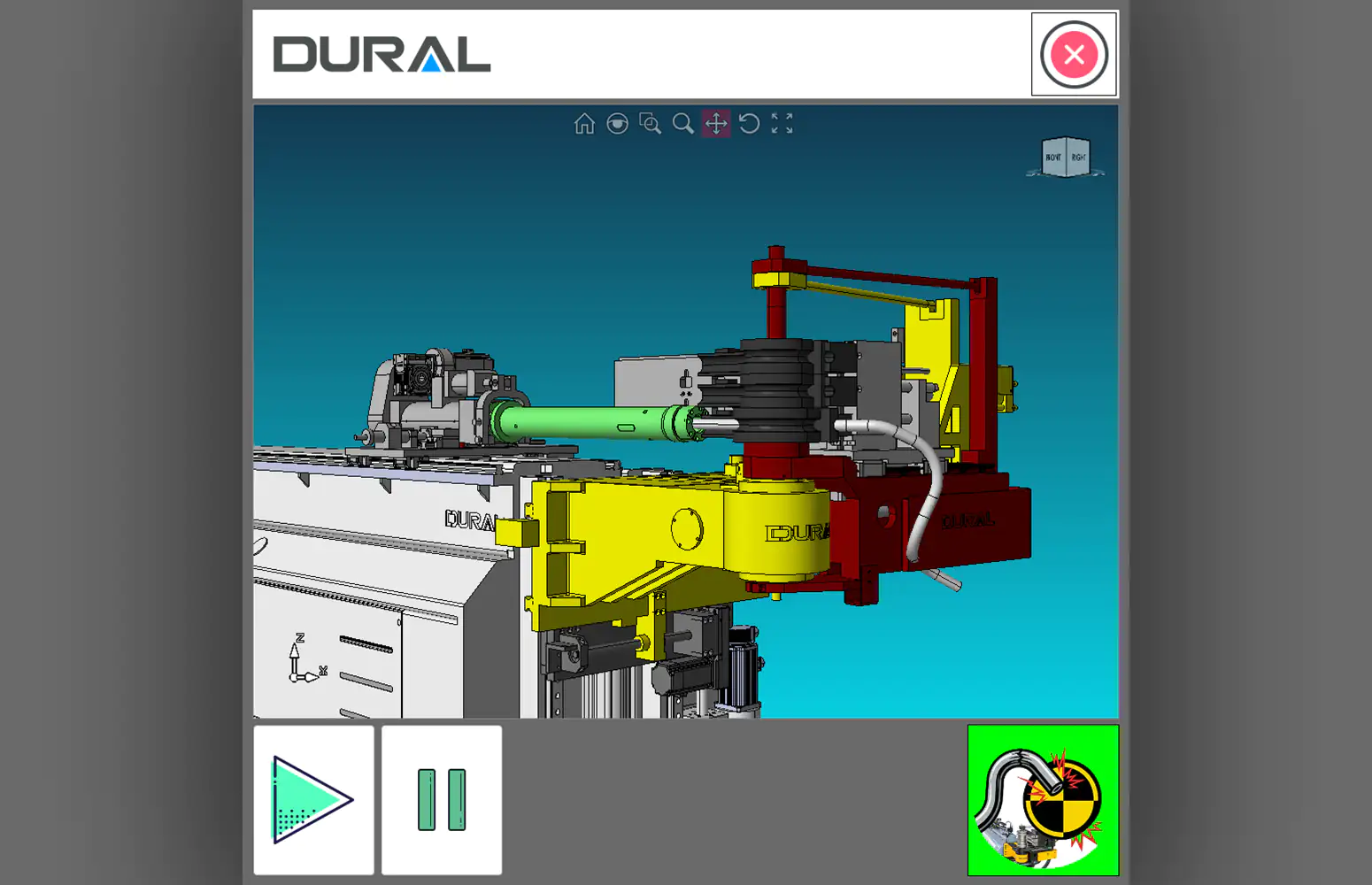
Check for interference between the tube, tooling and machine.
The complete bending sequence can be simulated in an interactive 3D machine environment, allowing potential collisions to be identified before the machine runs. This helps reduce setup errors, scrap and avoidable damage.
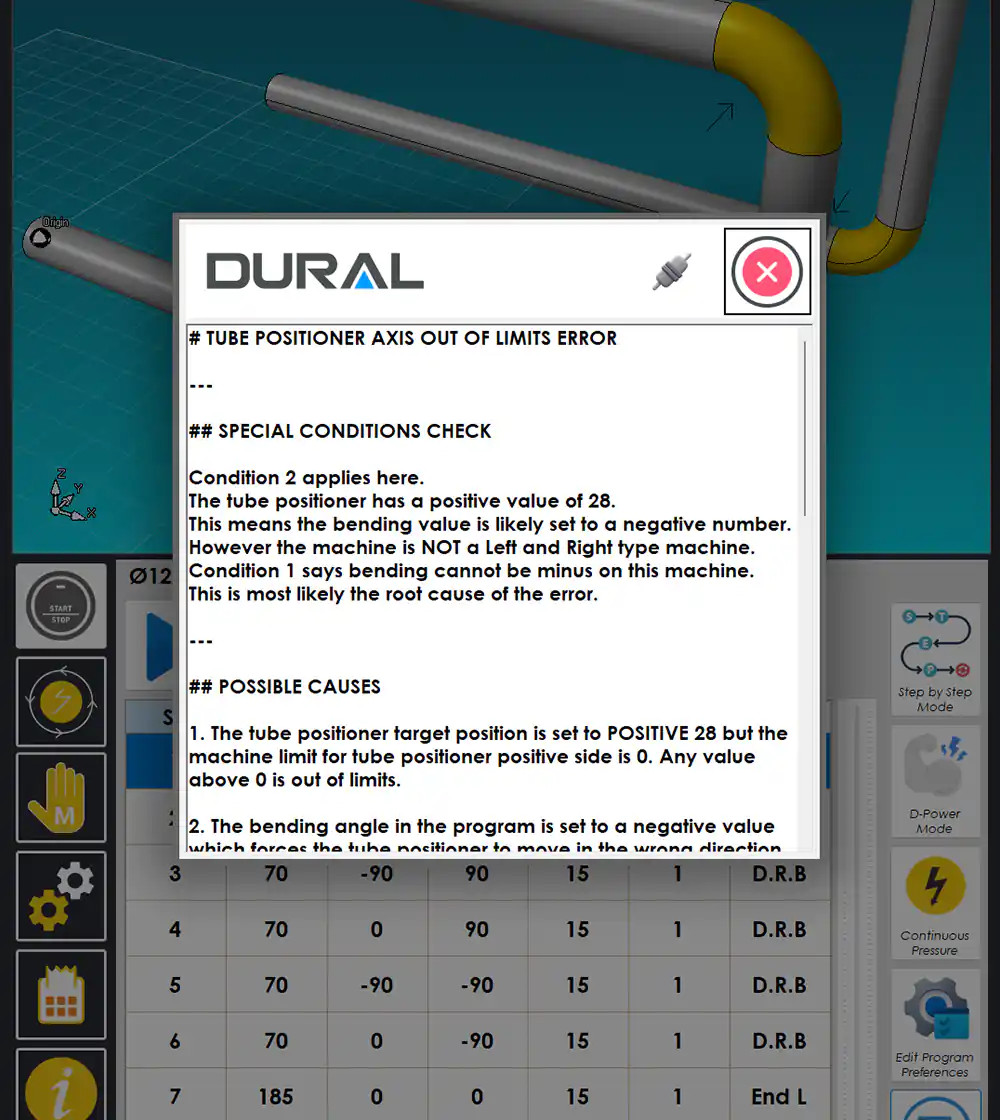
Turn an alarm into a practical troubleshooting step.
When a fault occurs, ETU reviews the relevant operating conditions, highlights the most likely causes and suggests checks for the operator. This provides useful context rather than leaving the operator with an error code alone.
Turn CAD data into editable bending data, with every change shown in 3D.
ETU connects engineering data directly with the machine program. Imported geometry is converted into bending parameters, and every manual adjustment is reflected immediately in the part model.
- STEP file import with automatic centerline and LRA extraction
- XYZ coordinate conversion to LRA with CW/CCW direction support
- Manual L, R, A and CLR programming with instant 3D feedback
- Program duplication, mirroring and categorization with D-Tags
- Automatic tube length and process calculations
Export the verified program as practical engineering documentation.
The same LRA data used at the machine can also support design reviews, production instructions and quality records.
LRA to 3D STEP export
Generate a 3D STEP model directly from the programmed LRA geometry. The file can be used for assembly checks, customer review or further CAD work without recreating the tube by hand.
Automatic PDF technical drawing
Generate a production-ready PDF containing 3D views, bend geometry and program data. This gives operators and quality teams a consistent reference based on the latest version of the program.

Store compensation and motion settings with the program.
ETU records the settings used to produce an accurate first part. This makes later adjustments more consistent across operators and shifts.
Automatic elongation
Calculates the change in material length caused by bending and adjusts the program to improve dimensional accuracy while reducing manual compensation.
Springback compensation
Uses material properties or measured angle data to calculate the required compensation for common steels, stainless steels, aluminum and copper alloys.
Independent axis control
Adjust feeding, rotation, bending, stack and tube-positioning speeds independently, with individual torque control and overall speed scaling.
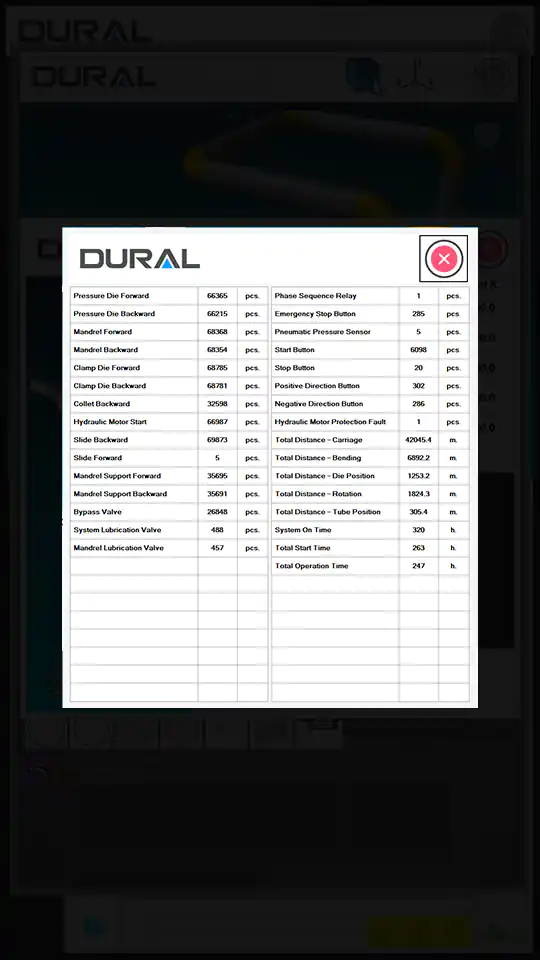
Keep programs, tooling and machine records in one place.
Operators can find repeat jobs quickly, while maintenance teams get a clearer record of how the machine has been used.


Questions from operators and engineering teams.
What is MyDural ETU?
MyDural ETU is Dural’s operating and programming environment for CNC tube benders. Installed at the machine, it brings bend-program preparation, machine control, live 3D visualization, simulation, tooling data and diagnostics into a single interface.
Which file and data formats can ETU use?
ETU supports workflows based on STEP geometry, XYZ coordinate data, DRL program files and LRA bending data. The available import and export functions may vary depending on the machine software version.
Can ETU export an LRA program as a 3D STEP file?
Yes. ETU can export programmed LRA geometry as a 3D STEP file for use in CAD, assembly reviews and customer approval workflows.
Can ETU create a technical PDF?
Yes. ETU can generate a PDF technical drawing directly from the programmed part, combining 3D views and bending data in a clear production document.
Does collision detection guarantee that a collision cannot occur?
No. Simulation supports risk assessment, but it does not replace correct tooling, setup or operator checks. ETU’s collision analysis relies on the configured machine, tooling and program data, so the physical setup must match that data.
What does AI-assisted error analysis do?
It reviews the error condition and relevant machine states, then identifies likely causes and suggests practical checks. It supports troubleshooting but does not override machine safety logic or operator responsibility.
Is ETU the same as MyDural MES?
No. ETU is the operator-facing CNC control and programming environment at the machine. MyDural MES is a browser-based layer for production, OEE, maintenance and management that can use data from connected machines.
Can ETU be retrofitted to an existing machine?
A retrofit may be possible, depending on the machine’s motion system, PLC, safety architecture, drives and I/O. Dural reviews the machine configuration before confirming the scope of any modernization project.
Four products, one connected MyDural ecosystem.
Bring verified 3D programming to the machine.
Talk to Dural about using ETU on a new CNC tube bender or as part of a modernization project.